Are You Still Only Using console.log() for Debugging?
Better ways to debug your code more efficiently and faster

Are you a “Good Coder”?
Have you ever faced a production bug which made your application crash and put you and your whole team under stress, but then there comes a knight and shining armour that quickly finds the bug and resolves it.
Now that person can be you or someone from your team, and that is what the difference between a noob and an experienced developer.
Sure, when you say a good coder, it involves a lot of parameters, but it sure includes being good at debugging.
How quickly you can find a bug and resolve it is one of the qualities that separates you from others.
One of the best and common methods used is logging using console.log. Except, there are better ways to do it.
Why console.log() Is a Crutch, Not a Solution
- It dumps everything but tells you nothing about context.
- Too many logs can confuse instead of helping you. Difficult to manage in large codebases.
- Easily leaks into production if not cleaned.
- Doesn’t support structured or timed insights.
“I once spent 2 hours debugging a feature only to realize I was logging the wrong variable inside a deeply nested loop.”

Better Alternatives (With Code Examples)
console.warn()andconsole.error()– Colour-coded, Intent-driven, Easier to discriminate.
console.warn("Data might be undefined here:", userData);
console.error("Failed to fetch data", error);
2. console.table() – Visualise objects/arrays neatly
const users = [{name: "Neha", age: 25}, {name: "Raj", age: 30}];
console.table(users);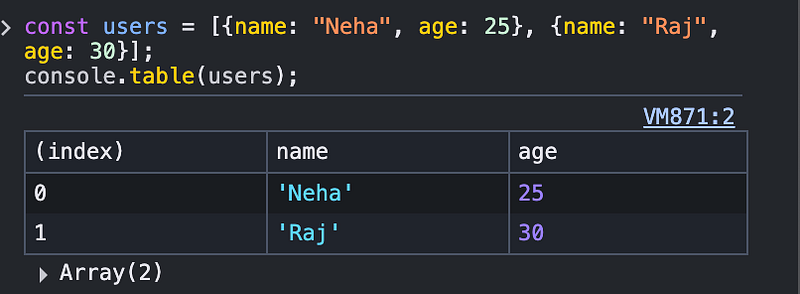
3. console.time() and console.timeEnd() – Benchmark performance
console.time("loopTime");
for(let i=0; i<1000000; i++){}
console.timeEnd("loopTime"); // loopTime: 15.2ms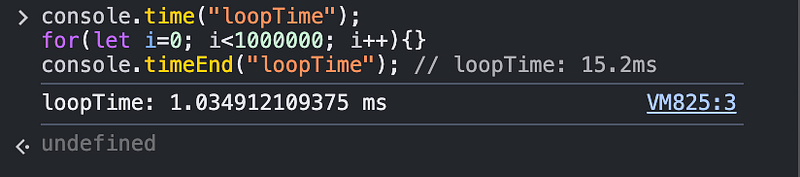
4. console.trace() – Show where it was called from
function a() { b(); }
function b() { console.trace("Trace the call stack"); }
a();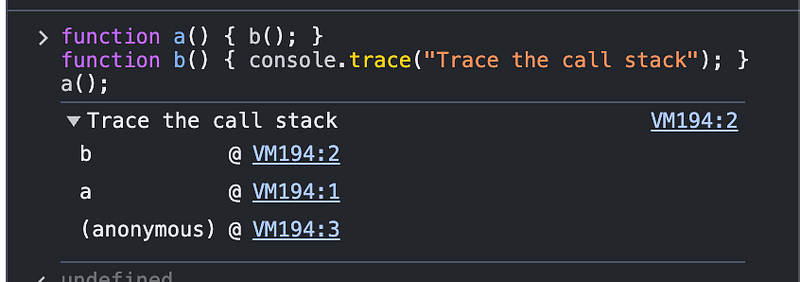
5. Custom Log Wrappers — Create reusable log utilities that toggle on/off based on environment:
function devLog(...args) {
 if (process.env.NODE_ENV === "development") {
 console.log("[DEBUG]", ...args);
 }
}
Bonus — Go One Level Deeper
- Use debuggers in VS Code: Set breakpoints, inspect live variables.
- Add logging libraries:
debug,winston,pino(especially for backend). - For frontend apps, leverage Redux DevTools, React Profiler, etc.

Conclusion
You’re not just logging. You’re learning. And great developers always level up their tools.
So here’s your challenge:
👉 Try replacing every console.log() In your next bug hunt with one of the methods above. You’ll be amazed at how much more control and clarity you gain.
What’s your favourite non-console.log debugging hack?
Drop it in the comments — I’m always looking for smarter ways to debug.