NEVER Run These Linux Commands in Production (Unless You Love Chaos)
These ‘Harmless’ Linux Commands Can Destroy Your System — And You’ve Probably Used Them!

The Commands That Can Wipe Out Your Entire System in Seconds!
Imagine working day and night tirelessly on a project for weeks. One small command, and boom — everything vanishes into thin air. No warnings, no mercy. Gone.
Sounds like a nightmare, right?
Yet, countless developers and sysadmins have fallen into this exact trap. Some of the most dangerous Linux commands look completely simplistic and innocent — and until you know it’s too late.
Let’s break down these digital landmines so you never step on them and put yourself and your system at risk.
Read for free 👉here
1. rm -rf /
The digital equivalent of a self-destruct button. It deletes everything.
rm(remove) deletes files.-r(recursive) means it will delete everything inside directories.-f(force) ignores warnings and permissions./is the root directory of your system.
What happens?
It erases everything. Your entire Linux system disappears, leaving you with nothing but regret.
How to avoid it?
- Never use
rm -rfwith/. - Use
--preserve-rootTo prevent accidental full-system deletion. - Double-check the command before hitting Enter.
2. :(){ :|:& };: (Fork Bomb)
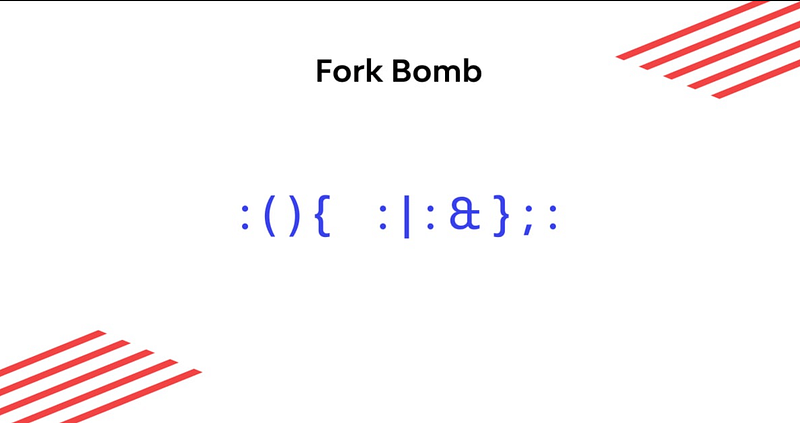
A tiny command that can bring the super-powerful servers to their knees.
This cryptic snippet is a fork bomb, a function that recursively calls itself until the system runs out of resources and crashes. Deadly right?
What happens?
- Your RAM and CPU get maxed out.
- The system freezes instantly because of the extensive use of resources.
- Only a hard reboot can save you but not your files.
How to avoid it?
- Never run untrusted shell scripts.
- You can use limit process creation using
ulimitto prevent runaway processes.
3. dd if=/dev/random of=/dev/sda
Your hard drive will never recover from this.
dd(disk duplicator) is used for copying data.if=/dev/random(input file) reads random garbage data.of=/dev/sda(output file) writes this data to your primary disk.
What happens?
Your disk gets overwritten with junk data.
No recovery. No backups. Just pain.
How to avoid it?
- Always double-check
ofand ifbefore runningdd. - Use
--dry-runwhen available to test first before running the command.
4. mv /bin /dev/null
A simple move command that turns your system into a useless brick.
/bincontains essential system binaries.- Moving it to
/dev/null(a black hole for the data) deletes critical system files.
What happens?
- Rebooting will leave your system completely unusable.
- Basic commands like rm,
cdandlsstop working.
How to avoid it?
- Never move system directories unless you know what you’re doing.
- Use aliases or soft links instead.
5. chmod -R 000 /
Good luck accessing anything after this.
chmodchanges file permissions.-Rapplies it recursively.000removes all permissions.
What happens?
- Even the root cannot access files.
- Your entire system becomes unreadable.
How to avoid it?
- Be very vigilant when modifying permissions.
- Use
chmodon specific directories, not/i.e, root.
Final Thoughts: Stay Vigilant!
Linux is powerful, but with great power also comes great responsibility. One wrong command can turn your machine into a lifeless box in seconds. Always double-check, use safeguards, and never blindly copy-paste commands from the internet. Understand first what it does and then use it.
Have you ever made a Linux mistake that cost you dearly? Share with us, your experience in the comments! Eager to hear!😃
Interested in joining a like-minded set of peers, Connect with us
👉 Join our free WhatsApp community on Career Guidance. Here you’ll get access to job openings, community guidance, updates on the latest technology and many more.
At Dev Simplified, We Value Your Feedback 📊
👉 If you like the article, then please support us by clapping for this article.
👉 Have any suggestions? Let us know in the comments!