Code Review with GitHub Copilot

Introduction
Code review can be a time-consuming task, often taking up hours, especially in large organizations where it becomes part of daily work. This time investment in reviewing can eat into valuable coding hours and other productive work. However, with the rapid growth of AI in the tech industry, we now see tools that help with coding, test generation, and even code reviews. The new GitHub Copilot review feature is one such tool, designed to streamline the code review process.
How to Review Code with GitHub Copilot
With GitHub Copilot, you can review code on the go or have it analyse code before submitting a Pull Request (PR). Here’s a step-by-step guide on how to use Copilot for code reviews:
Reviewing Code in Your Local IDE
- Write or generate code with Copilot.
For Example:
// write a function that takes a string and returns the count of most frequent character in the string

// Input: "hello"
// Output: "2"
// Explanation: The most frequent character is "l", with a count of 2.

function mostFrequentCharacter(str) {
 const charMap = {};
 let maxCount = 0;
 let mostFrequentChar = "";

 for (const char of str) {
 charMap[char] = (charMap[char] || 0) + 1;
 }

 for (const char in charMap) {
 if (charMap[char] > maxCount) {
 maxCount = charMap[char];
 mostFrequentChar = char;
 }
 }

 return maxCount;
}

console.log(mostFrequentCharacter("hello")); // 2
2. Highlight the function, right-click, and select Copilot > Review and Comment.
GitHub Copilot will provide suggestions to improve your code, which you can accept or modify as needed.
Reviewing Code in GitHub PRs
- Open a new or existing PR on GitHub.
- In the reviewers’ pane, select Copilot as a reviewer.
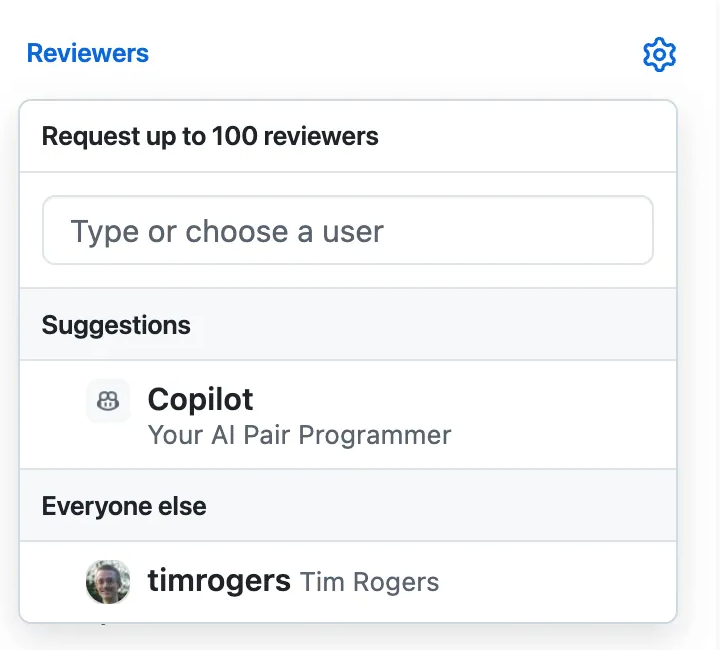
3. Copilot will review your PR in under 30 seconds.
4. Scroll through Copilot’s comments and apply changes as needed.
My Take
GitHub Copilot is a fantastic tool, especially for streamlining code reviews. It can speed up PR reviews and help avoid merging poor-quality code due to large or numerous PRs. However, as with any tool, developers must use it responsibly. It’s crucial not to rely solely on AI for reviews. Instead, we should use it as a support tool while taking ownership of our code quality.
Queries and Doubts
Thanks for the read :) Hope you have enjoyed reading it 🤩 and learnt something new today.
If you have any doubts or queries feel free to drop a comment or
⁍ Connect with me on my 🔗Topmate 💬.
⁍ You can also reach out to me on my 🔗LinkedIn.
⁍ Please clap for this post if you enjoyed reading it 📗 and follow for more interesting articles.
⁍ You can also support me and my writings by treating me to a nice virtual cup of coffee ☕️.